
The AI bridge for Business Central.
Ask in the AI you already use. Bifrost does the work inside Business Central, under your own permissions.
 Claude
 ChatGPT
 Microsoft Copilotany MCP client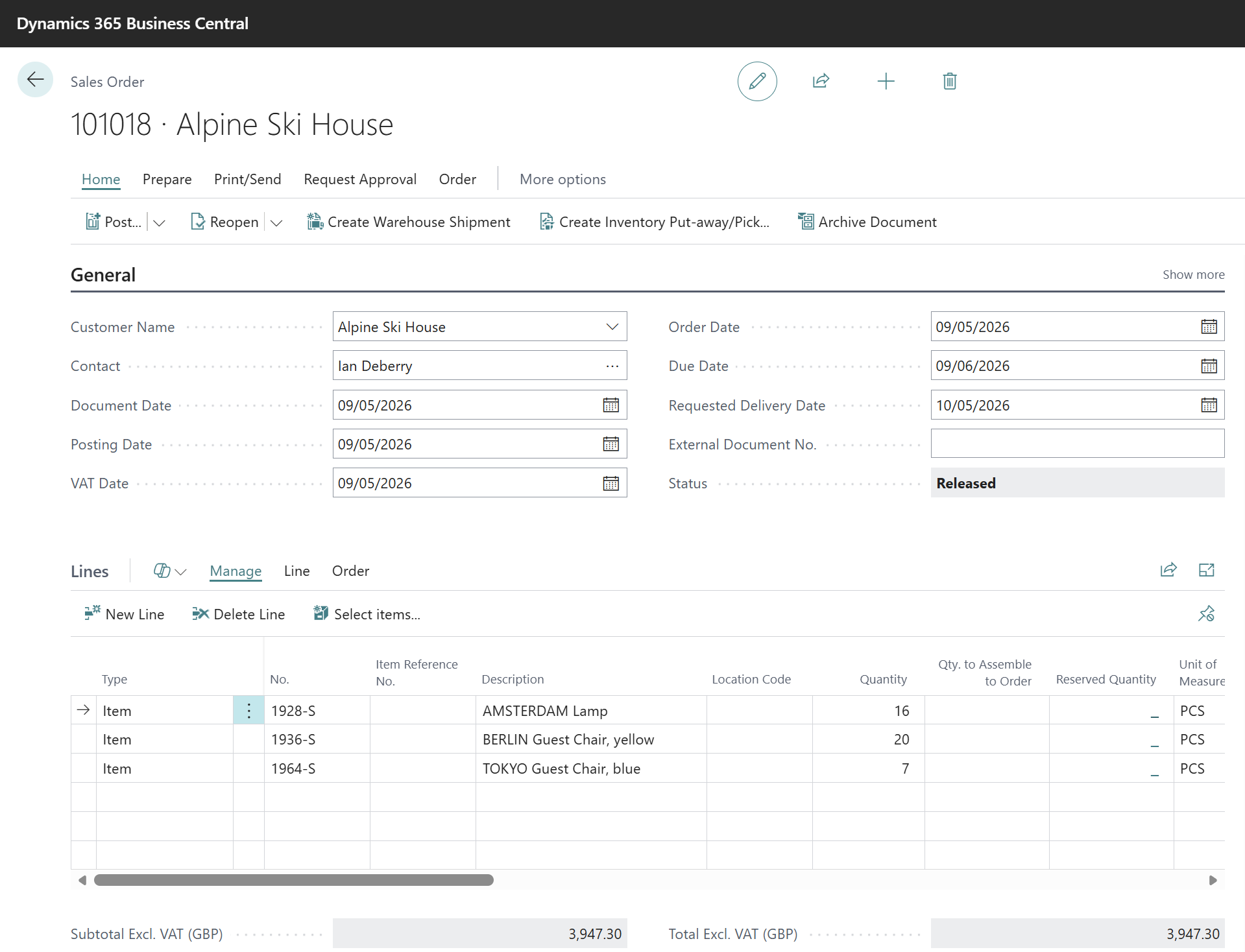
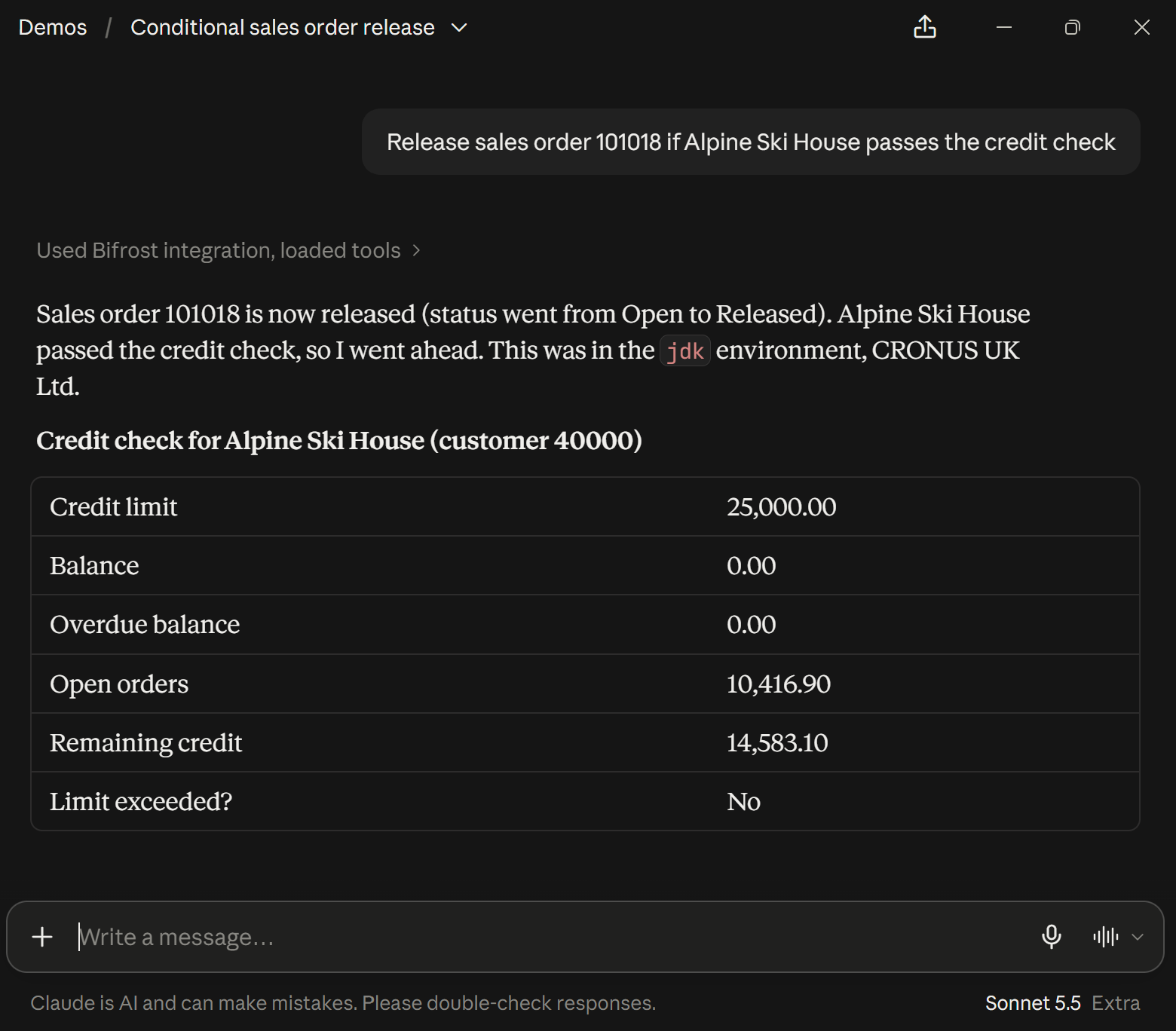

A real run on Business Central demo data.
From answers to actions.
Reading Business Central is a start. Bifrost also acts in it, through 80+ built-in business actions.
- Take actionAI agents that take action
"Release sales order 101018 if Alpine Ski House passes the credit check."
Sales order 101018OpenReleasedCredit left14,583.10 of 25,000 - ReportsNo-code reports and dashboards
"Build a monthly sales dashboard against last year."
Net sales, Jan to Jul£229.2k▲ 6.8% vs last yearGross margin28.2%▲ 6.2 pts vs last year - AuditingBuilt-in auditing and memory
"What changed on the Alpine Ski House customer card?"
Beforethe old valueChangedby who, and whenPut backin one step - AgentsAgent-ready, headless ERP
"Every morning, release the open orders that pass the credit check."
Every morning at 07:00No one has to open Business Central.MonTueWedThu07:00Fri
One request, three stops.
Bifrost sits between your AI and Business Central, and signs in as you.
- Your AI tool
You ask in Claude, ChatGPT or Copilot, in plain words.
- Bifrost
Signs in with your Microsoft login and picks the right business action.
 Business Central
Does the work under your permissions, and sends the result back.
AI that stays inside your rules.
Bifrost gives your AI no way around Business Central. It signs in as you, works under your permissions and leaves a trail.
Your AI toolBifrostBusiness Central- Your permissions apply
- Changes leave a trail
- Old values can be restored
Before you start.
- You need
- A Microsoft Dynamics 365 Business Central environment. A sandbox is a good place to start.
- Works with
- Claude, ChatGPT, Microsoft Copilot and any AI tool that supports MCP.
- Get it
- On Microsoft Marketplace, or through your Business Central partner.
- AI tokensTo your AI vendor, as today
- MessagesOnly what you use. One contract and one invoice from The App Channel.
- Business Central licenseYour license, unchanged
Bifrost is billed by use, not as a flat license.
Pick your path.
Same Bifrost, three ways to use it, depending on where you sit.
- For
Partners
Sell AI work on top of the Business Central expertise you already have.
- Faster demos and data migration
- AI solutions that post, not just report
- Recurring revenue as customers adopt AI
- For
ISVs
Make your app something AI can use, not just read.
- Your app's actions as tools AI can call
- Built once, on Claude, ChatGPT and Copilot
- New ways to package and price your app
- For
Customers
Real actions in Business Central, from the AI your team already uses.
- Real actions, not just answers
- Your permissions, unchanged
- Delivered through your partner
Try Bifrost on your own Business Central.
Start in a sandbox. Or join a live session first, and watch a real task get done.